Trainings and webinars,
step by step.
Roter Faden — your training's common thread — keeps your flow together: structure it, plan it in minutes, check items off as you present — and show your slides in a separate window for the projector or Teams. Only you see your notes.
What Roter Faden can do
A tool for everyone who stands in front of people — in the room or in a webinar. It doesn't replace your slides; it makes sure you know where you are and what comes next.
Outline with minutes
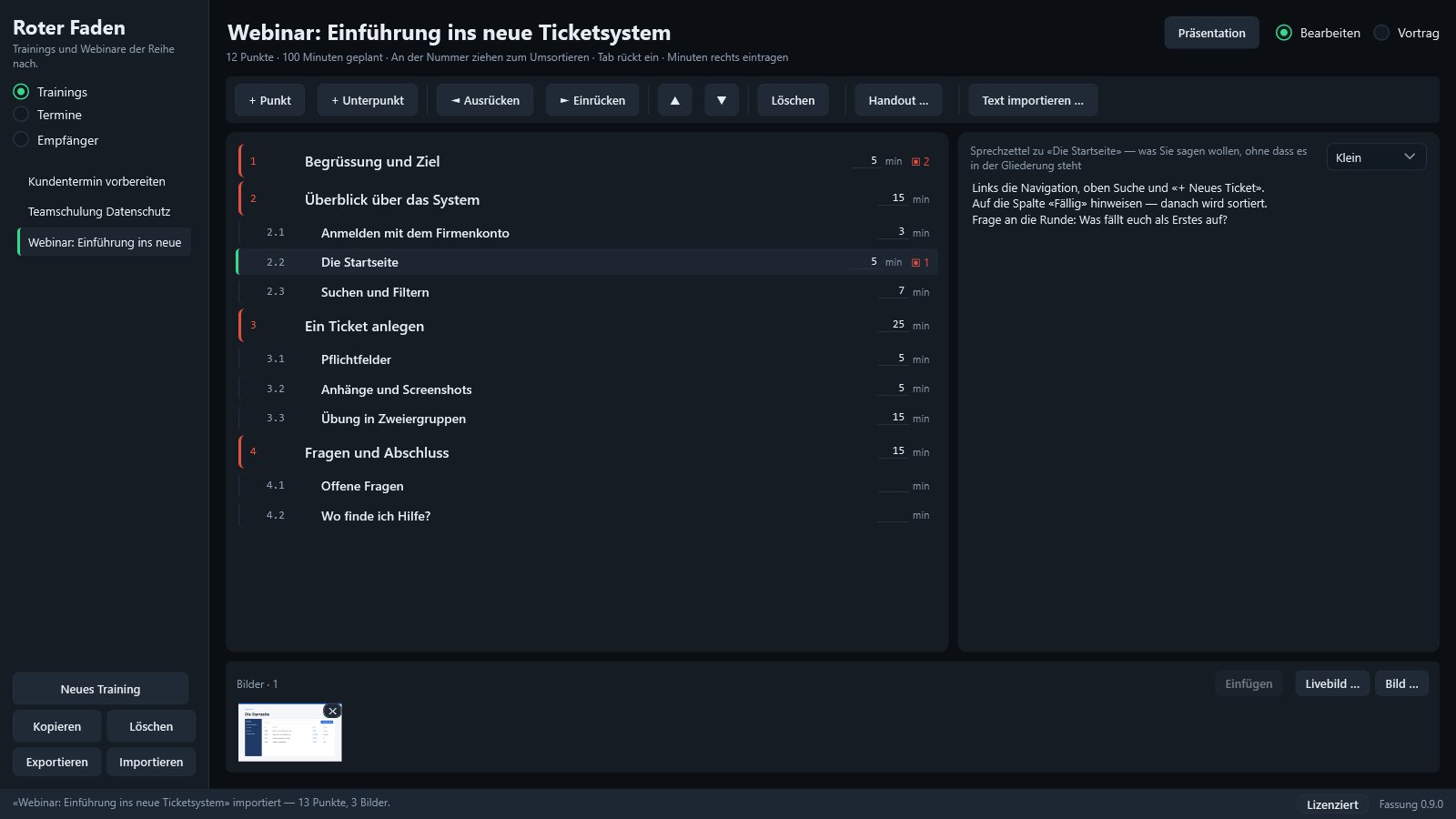
Up to ten levels. Drag by the number to reorder, Tab to indent. The planned time is shown on every item, the total at the top.
Speaker notes per item
What you want to say, without it cluttering the outline — always next to the flow, large and locked during your talk.
Check off as you present
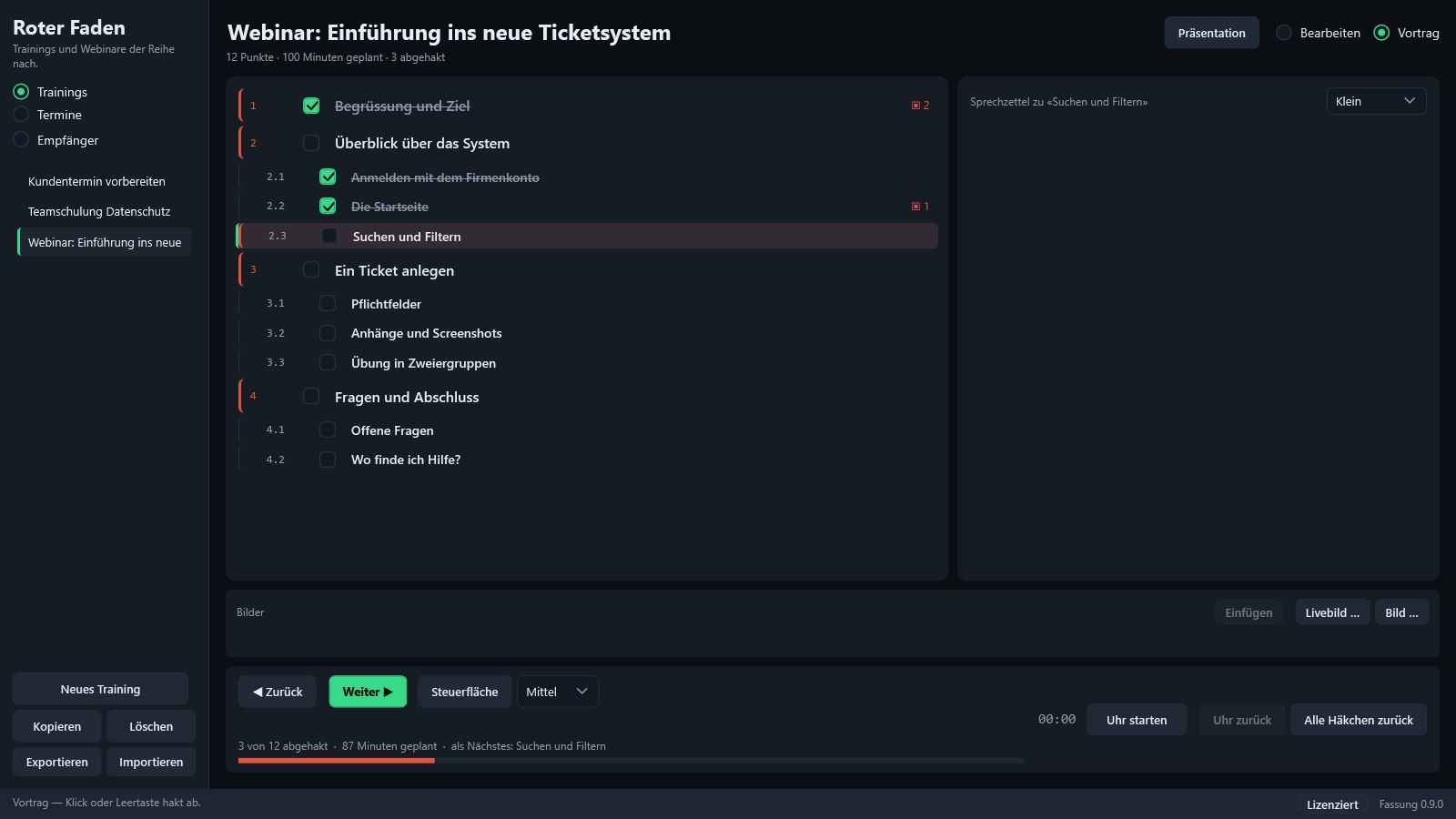
A click or the space bar checks an item off, and the next one lights up. The clock compares against the plan for the completed items, not against the total time.
Presentation window
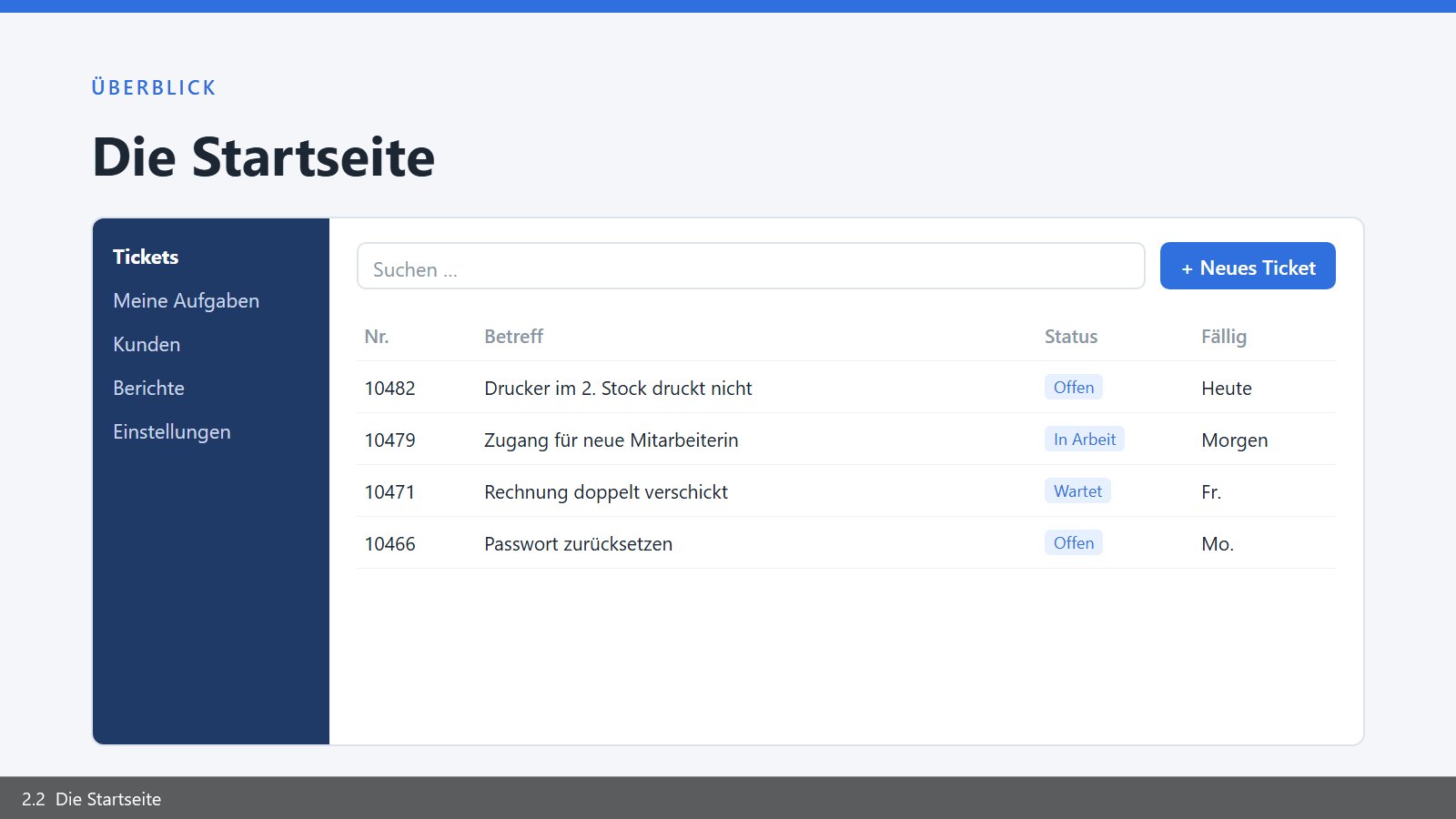
A separate window to share in Teams or show on the projector: images per item, full screen with F11, black screen with B. Presenter clickers work.
Live view
Show the real program instead of a screenshot — a window, a screen or a region you drag out, with a pointer halo and click rings.
Images from the clipboard
Win+Shift+S, then Ctrl+V — the snip is attached to the selected item. Or simply drag images onto the item.
Turn text into a training
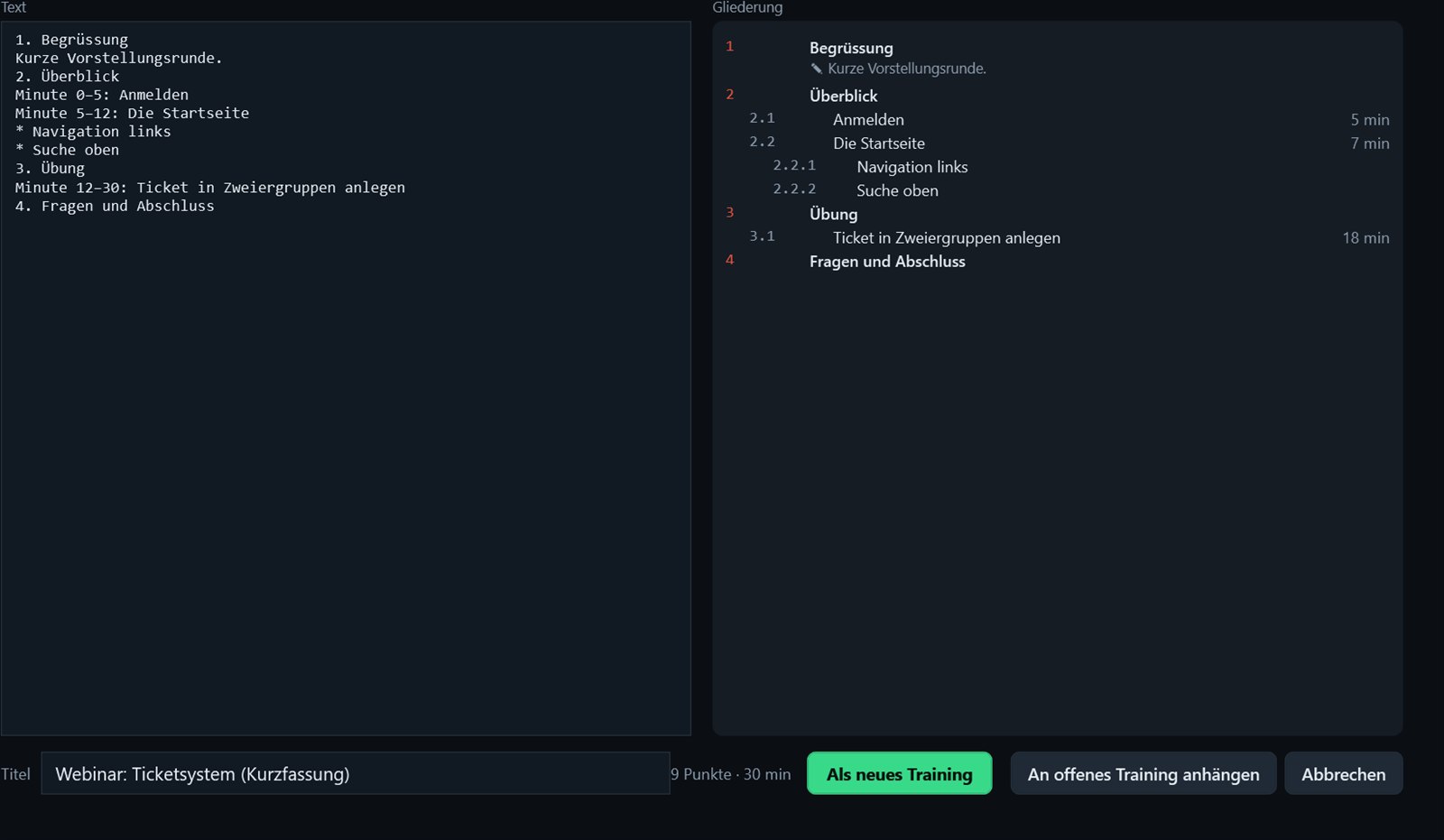
Paste an existing agenda: «1.», «Minute 2–4:» and bullet points become items, the rest becomes speaker notes. With preview.
Handout with images
For participants or your own folder — with checkboxes, minutes, speaker notes and all images. As a printable page or PDF.
What it looks like
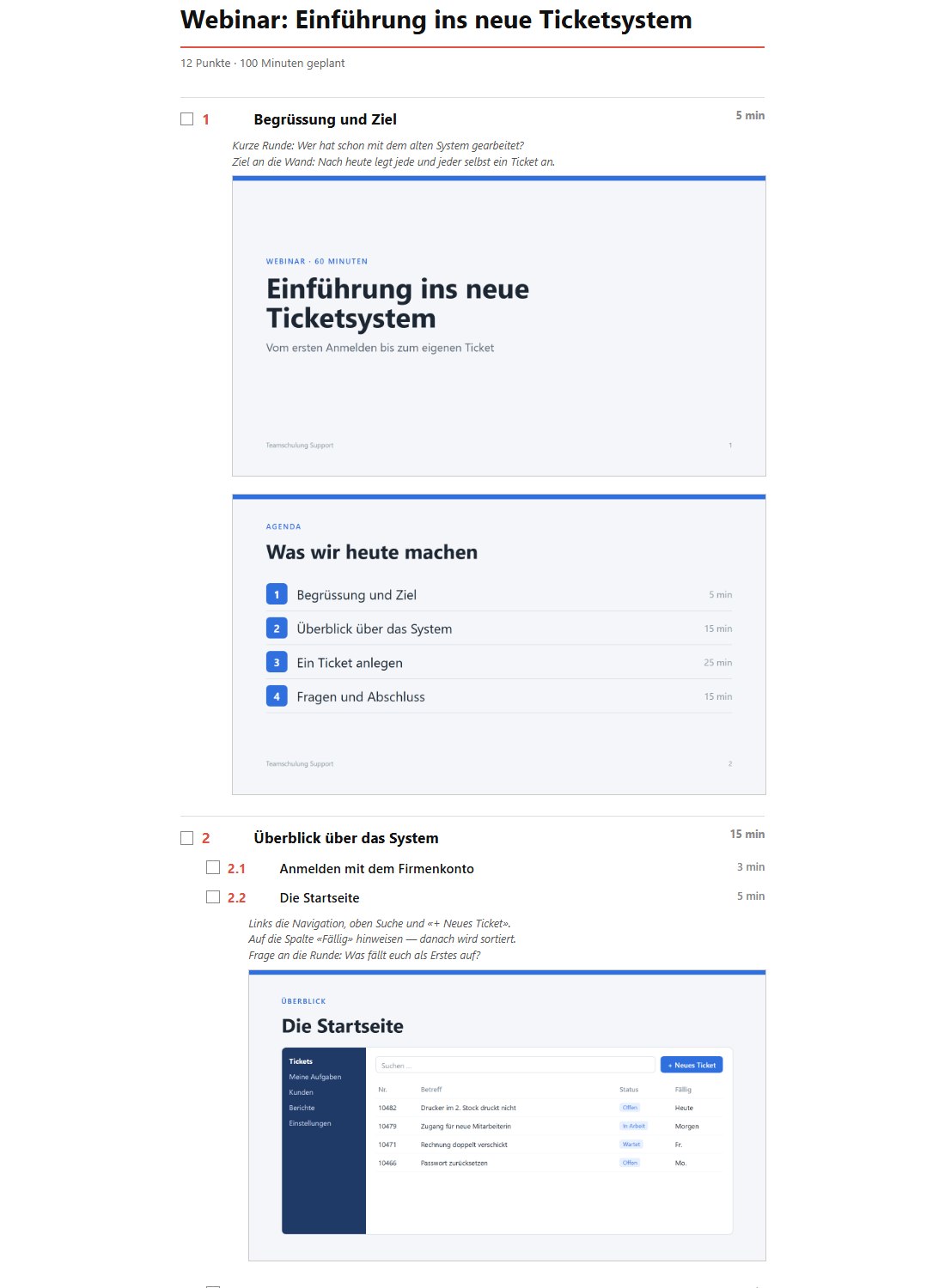
During your talk, your window stays with you; the presentation window goes to the participants.
Prepare sessions, send invitations in BCC
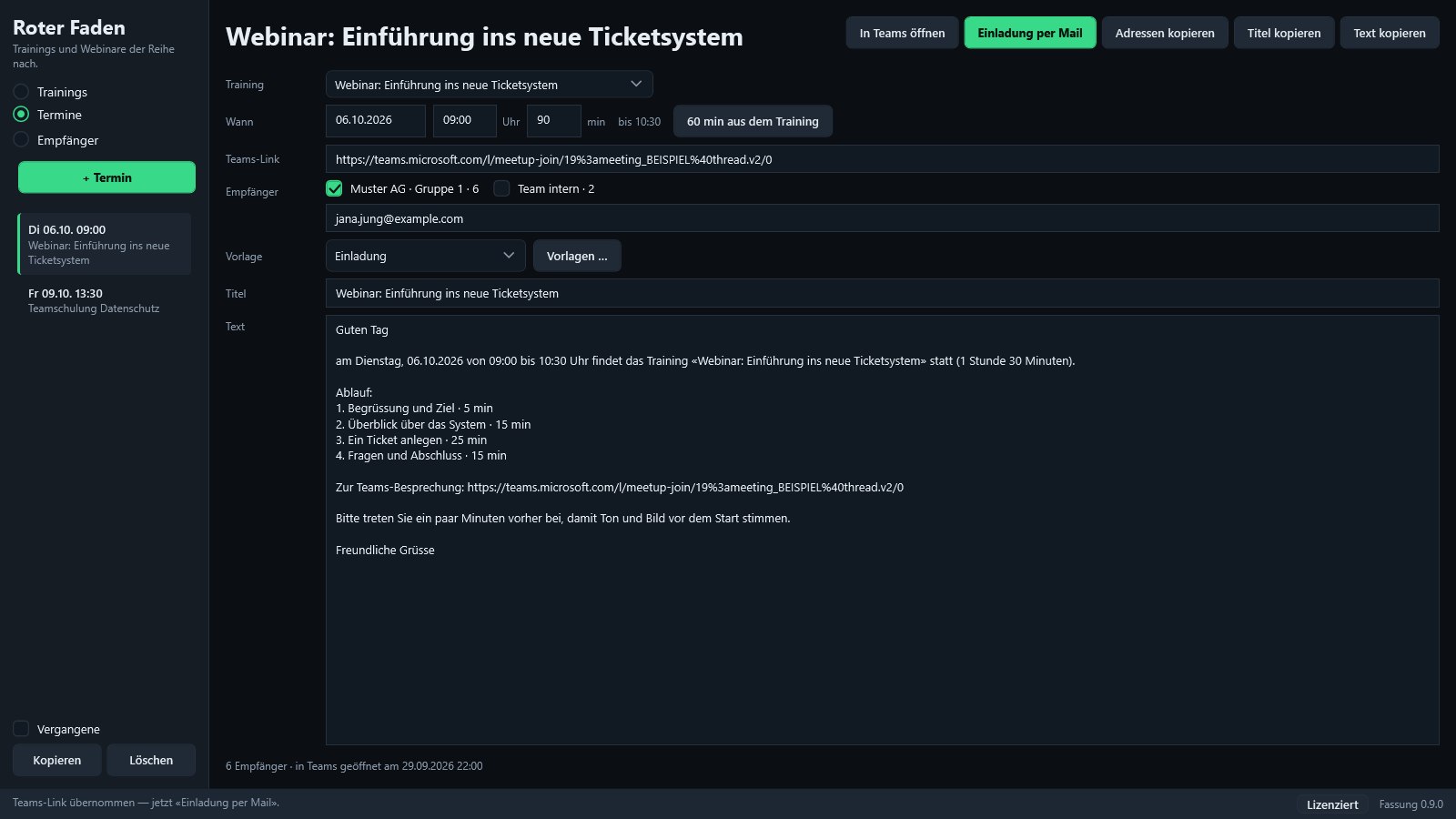
Plan when a training takes place and who is invited. «Open in Teams» (In Teams öffnen) creates the meeting with title, time and agenda — without participants. You paste the meeting link into the session (Termin), and «Email invitation» (Einladung per Mail) opens your email program: all recipients in BCC, the text with the link ready to go. Nobody sees the other people's addresses. No account, no sign-in in Roter Faden — it is sent from your own mailbox.
Recipient lists
One list per client or group. Paste from Excel or Outlook — or straight from an email: copy the recipients, and the subject becomes the name.
Always in BCC
Recipients never appear in the meeting and never in «To» — only in the BCC of the invitation.
Text from templates
Placeholders for date, time, duration and the Teams link — the agenda with minutes comes straight from your training.
Share a training
«Export» (Exportieren) packs a training with its speaker notes, images and live view settings into a single file (.roterfaden). Whoever receives it opens it with a double-click or drags it onto the training list — a new training is created, nothing is overwritten. Check marks don't travel along, and a live view that was tied to fixed screen coordinates is flagged so it can be dragged out again.
One file
Outline, minutes, speaker notes, images — by email, USB stick or Teams.
A double-click is enough
If Roter Faden is already running, the training lands in the open window.
Nothing gets lost
Same name? Then you get «… 2». Existing trainings stay as they are.
Try it first, then buy
Roter Faden runs without a license with everything it can do — presenting, presentation window, live view, handout, import and export. Without a license you can use two trainings, with a license as many as you like. No trial period, no counter.
After purchase, your license file arrives by email. Load it once via «License» (Lizenz) at the bottom right of the program, done. It is valid permanently and works without internet. Updates come via a button in the program.
Windows 10/11 (64-bit). Version 0.9.1 · Installer 44.5 MB · SHA-256 29DF27F6…FC121F90
Payment is handled by Polar, which acts as the seller and takes care of VAT. Credit card, PayPal and other methods are available.
The app speaks German and English — switch any time with “DE | EN” at the top right.
How to install
- Download: «Download installer». If the browser reports that the file is rarely downloaded, choose Keep in the download menu «…».
- Start: Double-click
RoterFaden-Setup.exe. If Windows shows «Windows protected your PC» with only «Don't run»: click More info in the text, and Run anyway appears. Windows shows this warning for every program without a purchased digital signature, which Roter Faden does not carry. - Install: «Next» (Weiter), tick a desktop icon if you like, then «Install» (Installieren). No administrator rights are needed; it installs for your user account.
- First launch: «Finish» (Fertigstellen) starts Roter Faden — without a license you can use two trainings.
- License: After purchase, load the license file from the email via «License» (Lizenz) at the bottom right of the program.
If «Smart App Control» is turned on in Windows 11, Windows won't allow unsigned programs at all.
Whether the file is unchanged is shown in PowerShell by Get-FileHash .\RoterFaden-Setup.exe — the result must match the
checksum. Later versions come via a button in the program.
How buying works
1. Buy
Pay via Polar — credit card, PayPal and other methods. Polar issues the invoice.
2. Receive your license file
After purchase you receive your personal license file by email.
3. Load it and get started
Click «License» (Lizenz) at the bottom right and select the file. It is kept across updates.
No account, no data collection
No sign-in, no license server. Your trainings stay on your computer.
Questions? support@tausendfreund.me